Getting started guide
Getting solar through Suny
From your first estimate to a working solar system you can check: what each screen asks, what happens next, and a button to the right place at every step.
Before you start
1 minute
You don't need an account to start. Your email becomes your account the moment you ask for quotes. Have these to hand:
- A rough list of what you want to power: bulbs, fans, fridge, TV, AC, pumps.
- Your power company and tariff band (A–E), from your bill or meter app. Not sure? Suny can work it out from how many hours of light you get.
- If you have a generator: its size (kVA) and roughly what you spend on fuel each month.
- An email address you can open on your phone.
Your free estimate, step by step
about 4 minutes
Five short screens: Where, Power, Backup, You and Plan. A rough cost card stays at the top and updates as you go.
1. Where's home?
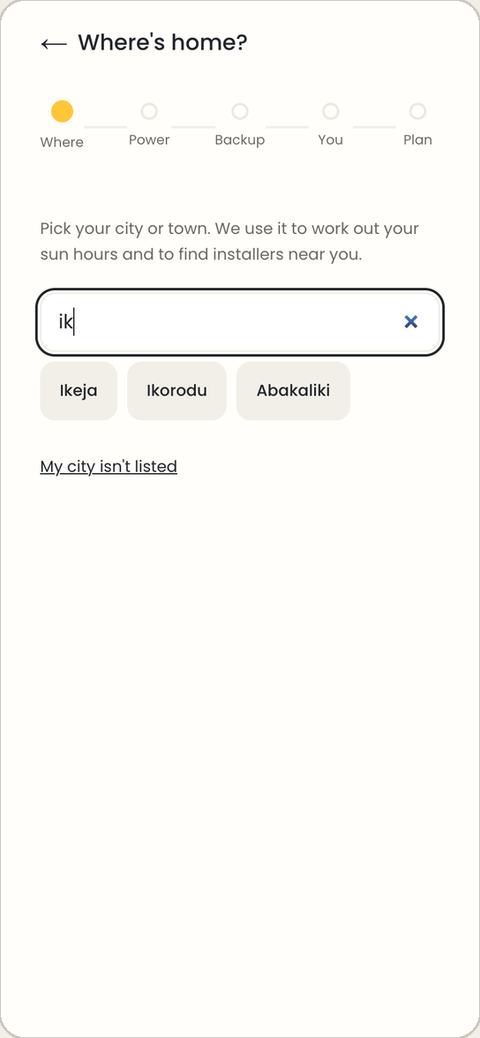
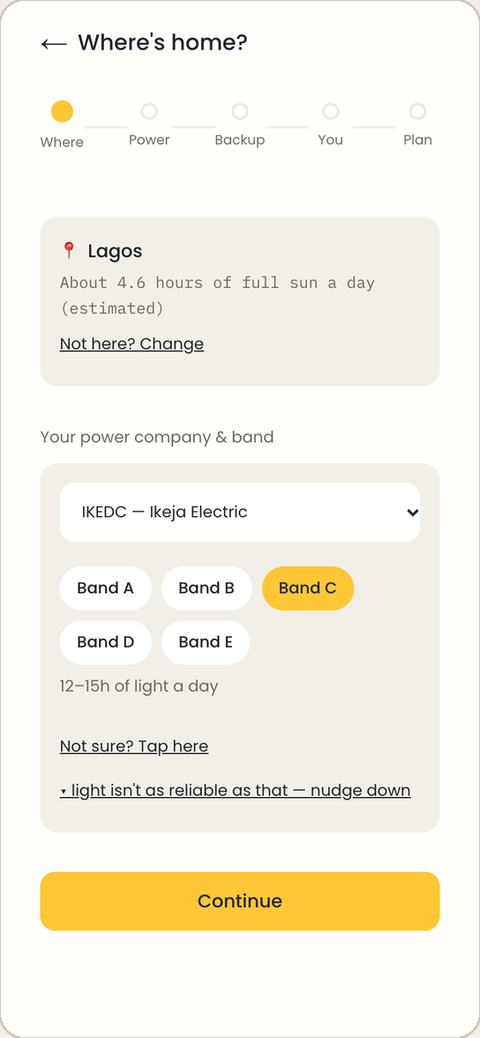
Allow your location, or search for your city or town. Then check your power company and band; Suny guesses both from your city. Not sure of your band? Tap Not sure? Tap here and choose how many hours of light you really get.
2. What do you want to power?
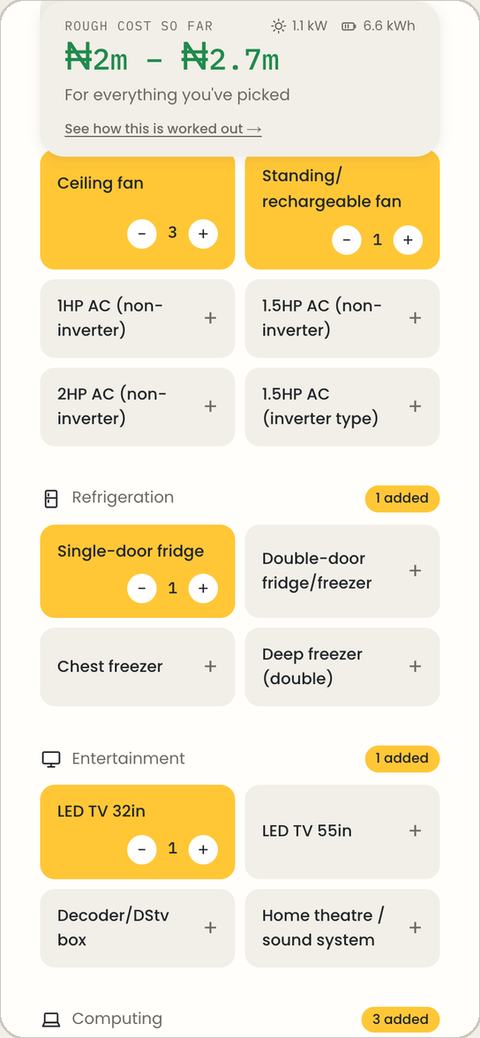
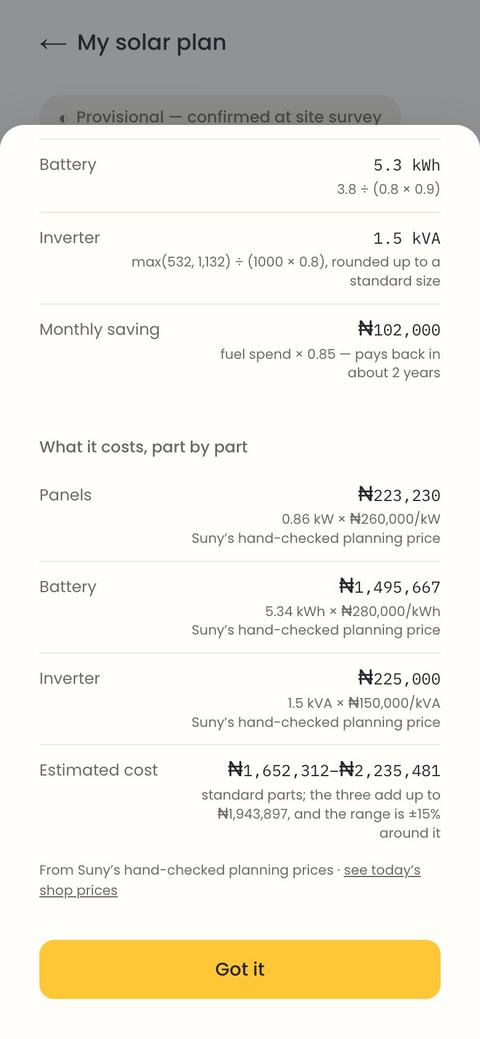
A starter set is already added (bulbs, fans, a fridge, a TV, WiFi, phone chargers). Use + and − to change each one. See how this is worked out shows every assumption and sum, and ends with What it costs, part by part: each part's size times its rate.
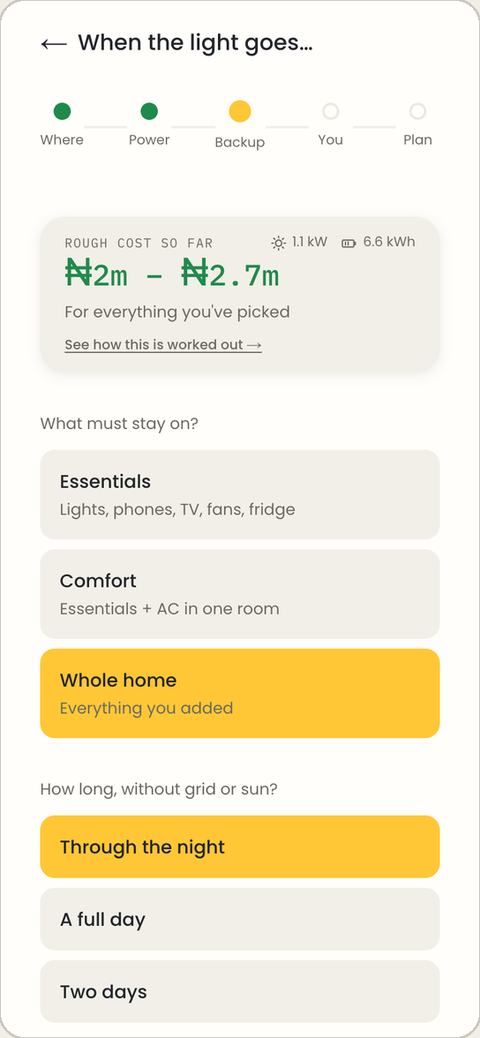
3. When the light goes
Choose what must stay on (essentials, comfort, or the whole home) and for how long without grid or sun.
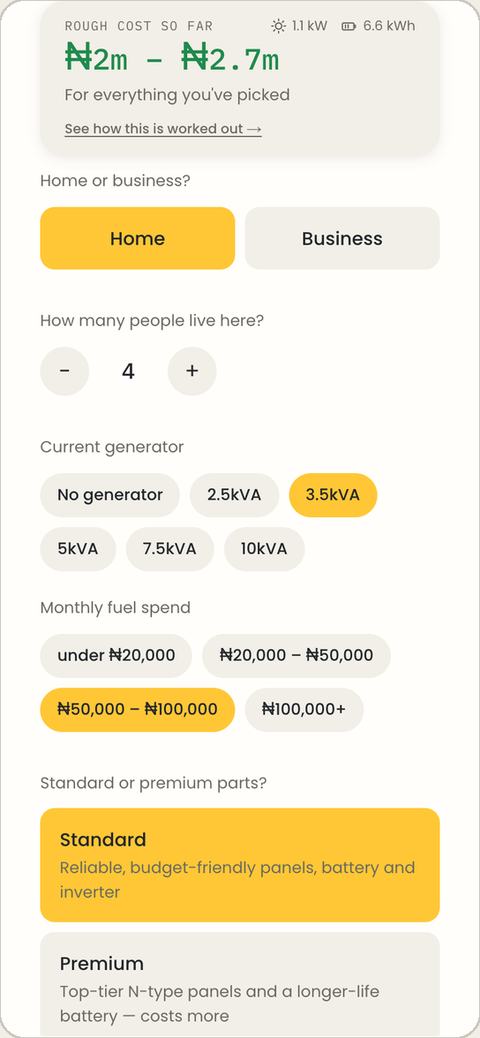
4. So we can show your savings
Home or business, how many people, your generator and fuel spend (this drives the savings figure), and standard or premium parts.
5. Your solar plan
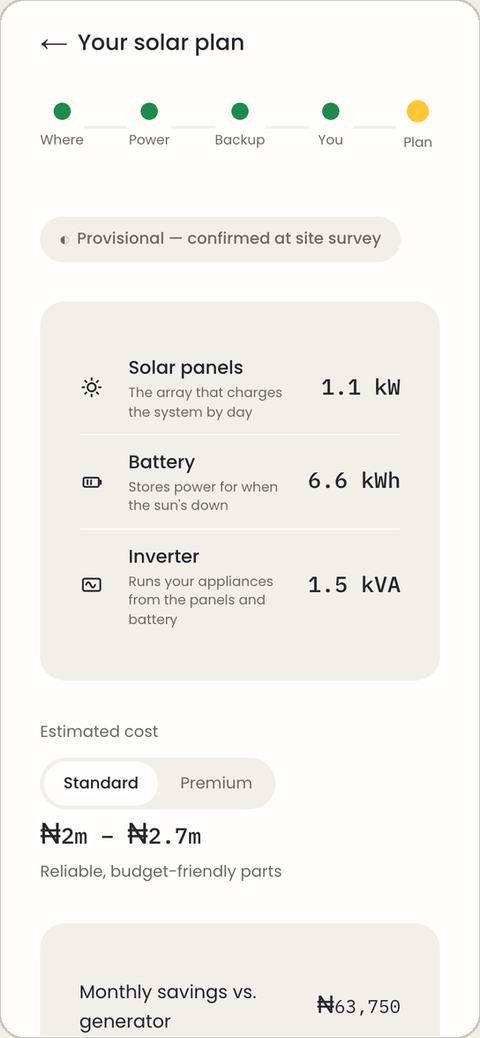
Your panels, battery and inverter sizes, an estimated cost (switch Standard / Premium), monthly savings against your generator, payback time and CO₂ avoided. To get real quotes, type your email, tick that matched installers may contact you, and tap Get matched with installers. It's free and commits you to nothing.
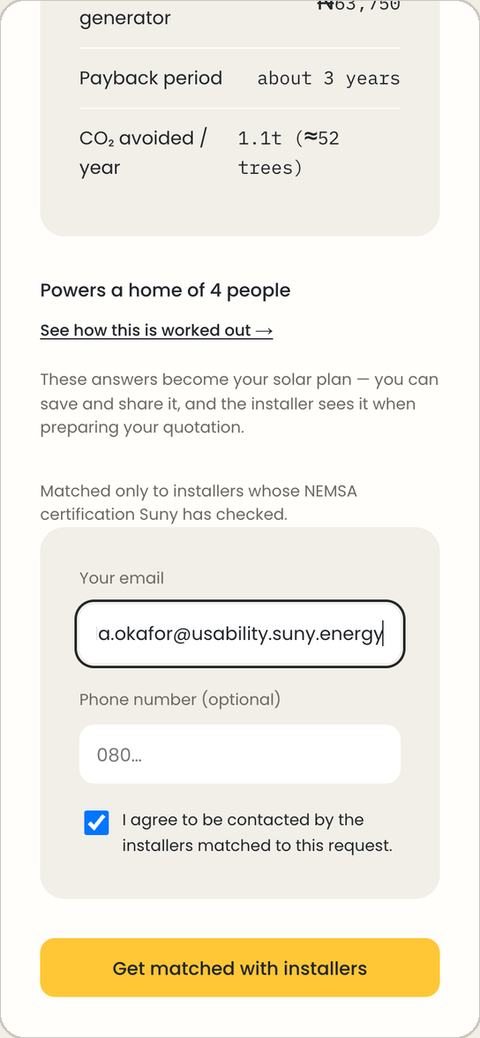
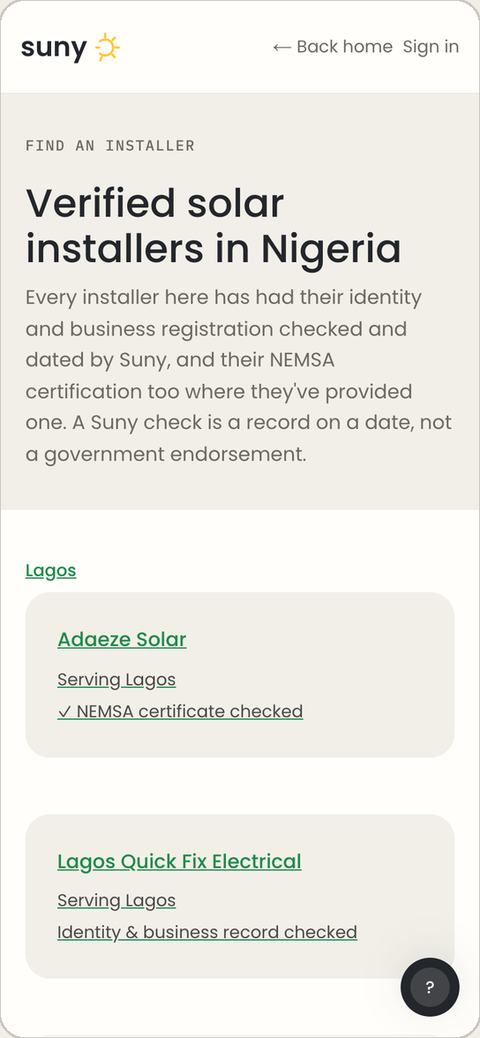
Suny only matches you with installers whose NEMSA certificate it has checked.
Your plan page
Suny saves your answers as a plan with its own link and sends it to matched installers ("Sent to 2 installers in Lagos"). You also get an email with a link to your job.
- Your sizes and estimated cost, plus the same range at this week's shop prices, with a link to see today's prices.
- Your answers: the installers see this same plan, so you don't repeat yourself.
- Share my plan sends the link by WhatsApp, SMS or email.
- Save your account: set a password lets you sign back in on any device without a code.
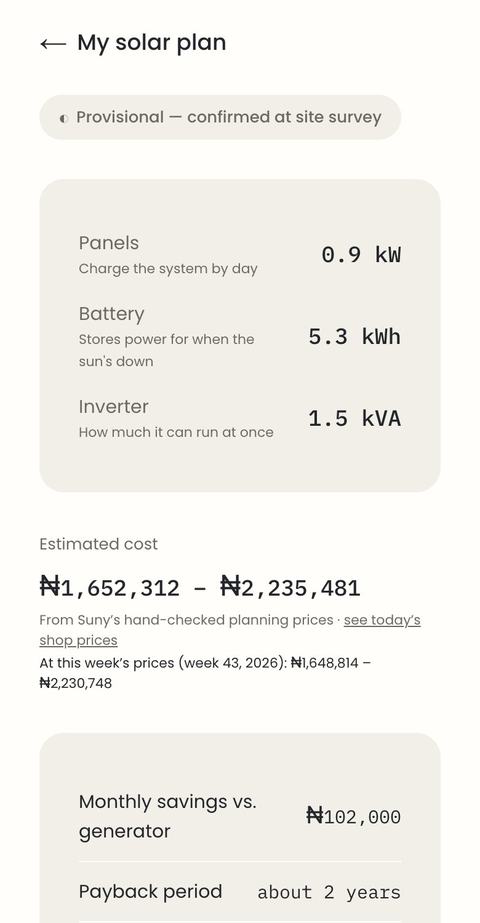
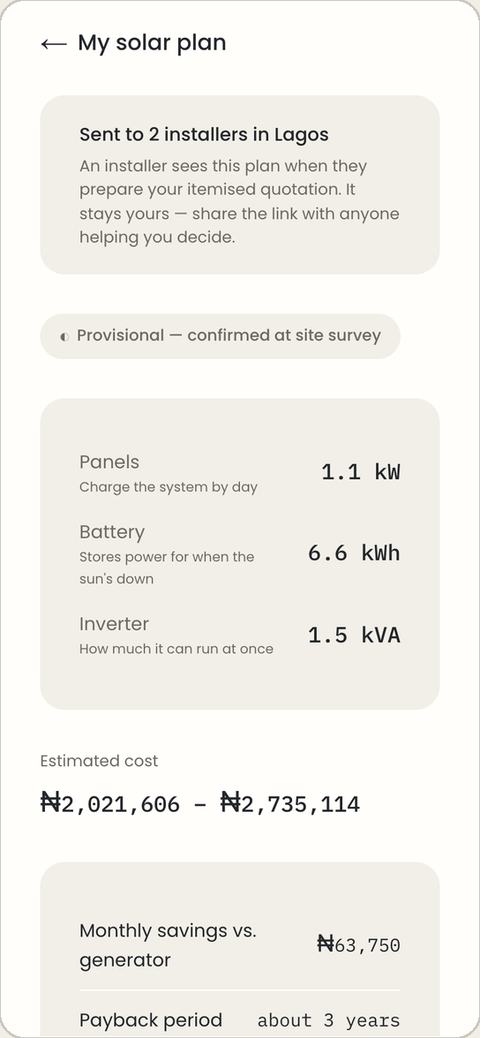
The plan is an estimate, not a quotation. The installer confirms the real spec and price at a free site survey.
Signing in
Suny uses your email as your account. Get back in with Email me a sign-in code (no password; the 6-digit code lasts 10 minutes), with a password you've added, or by creating a password account first at sign-up.
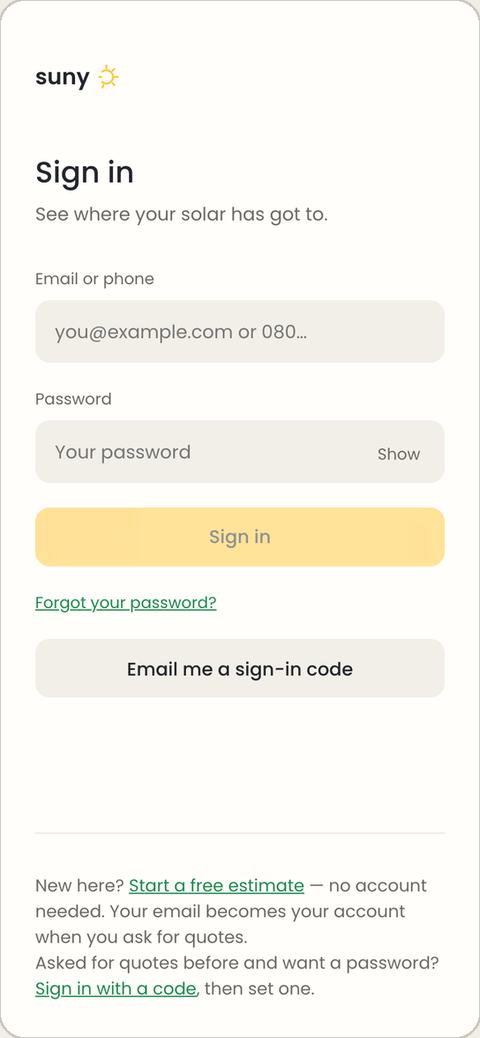
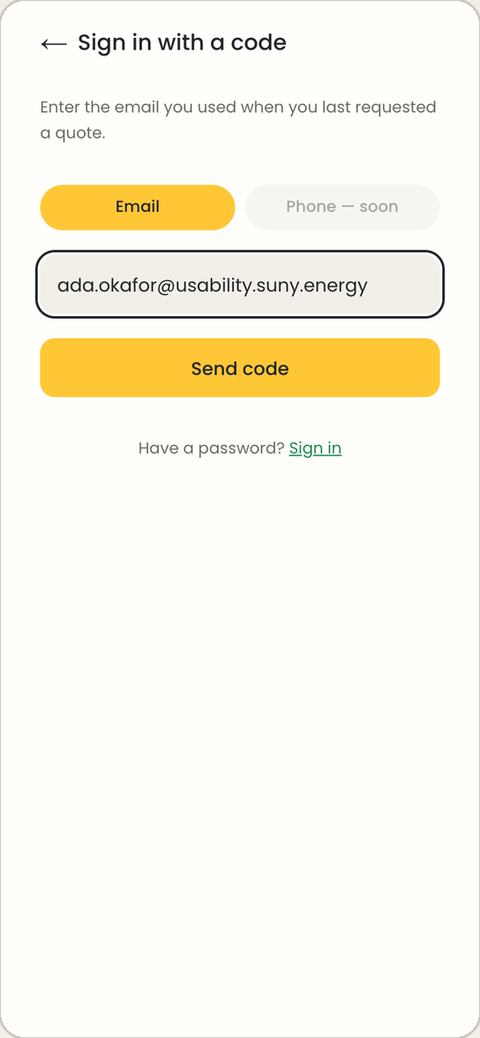
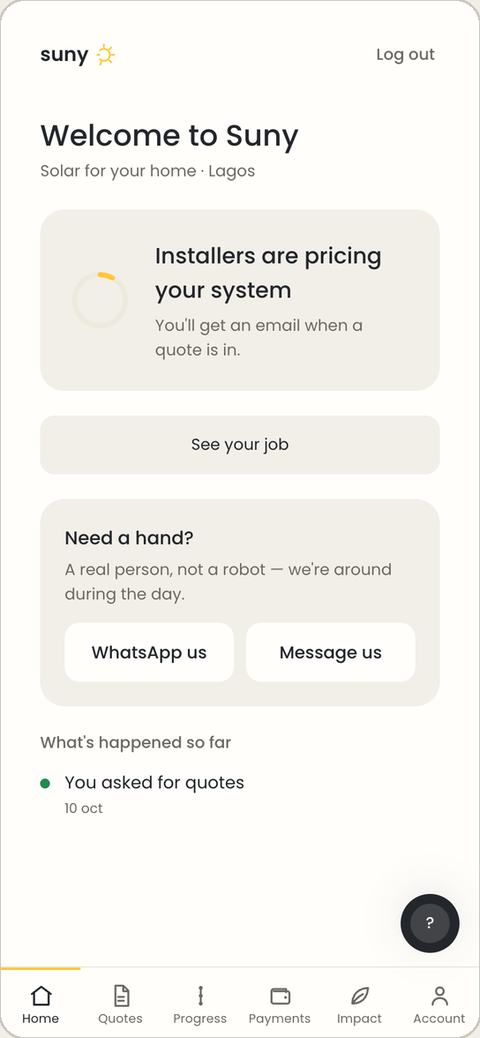
Started on your phone and want to carry on on a laptop? Sign in with an emailed code. Your plan, quotes and job follow your email.
Compare quotes and choose an installer
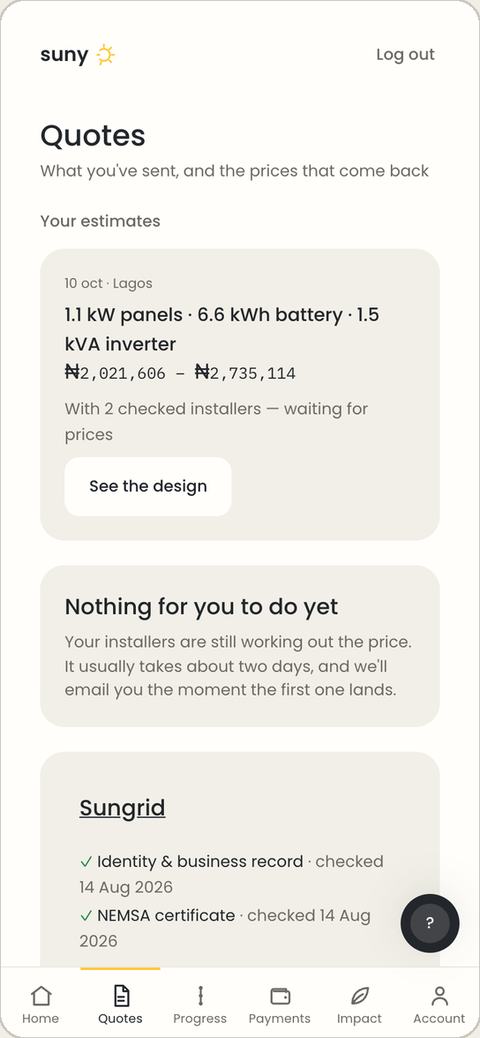
Each matched installer prices the system and you get an email as each quote arrives. While you wait, the Quotes tab says Nothing for you to do yet.
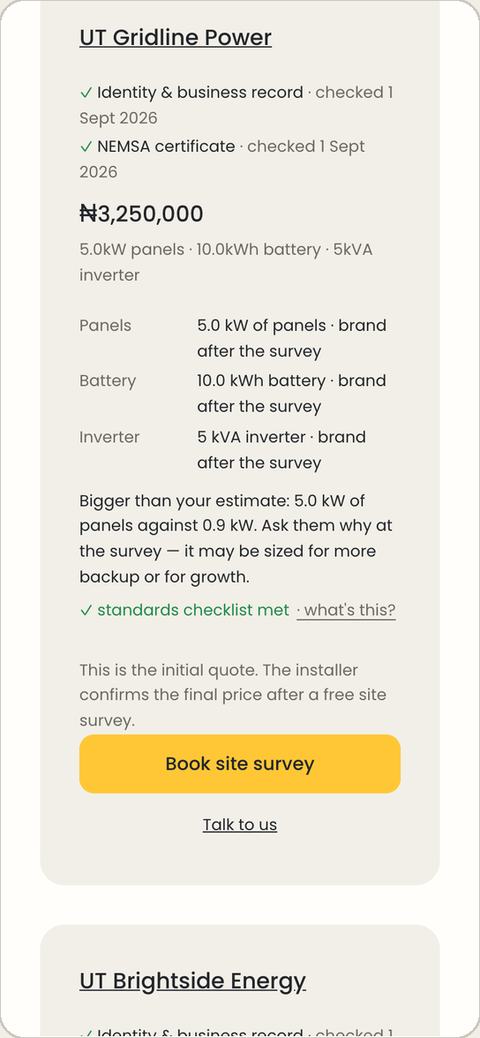
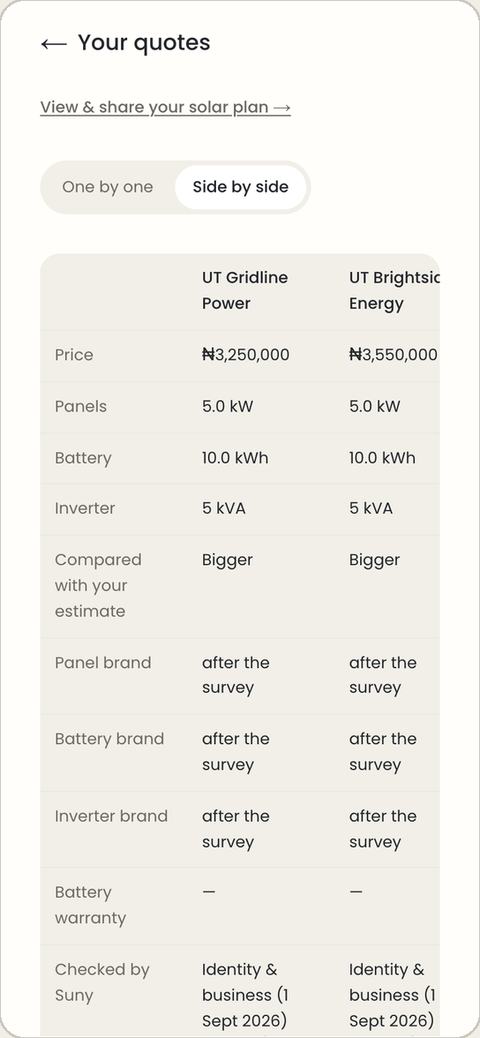
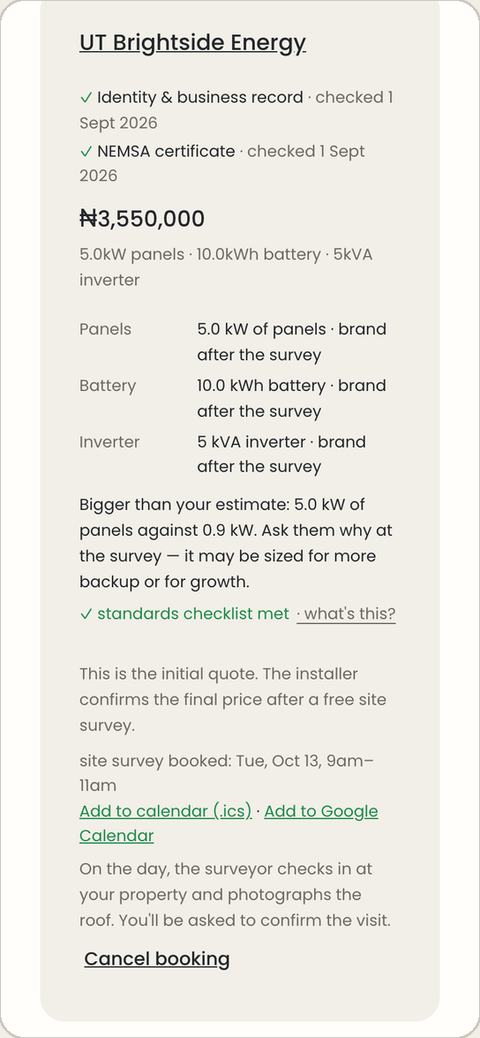
- Dated checks: what Suny checked about the installer and when.
- The price and the system: each part's brand, model and number, for example "Jinko 450 W panel × 8 · 12 yr warranty".
- How it compares with your estimate, and a prompt to ask why at the survey.
- Standards checklist met · what's this? explains the installer's safety checklist in plain words.
Side by side compares price, sizes, brands, warranties and checks in one table. You choose an installer by tapping Book site survey on their quote.
If an installer sends you their own link
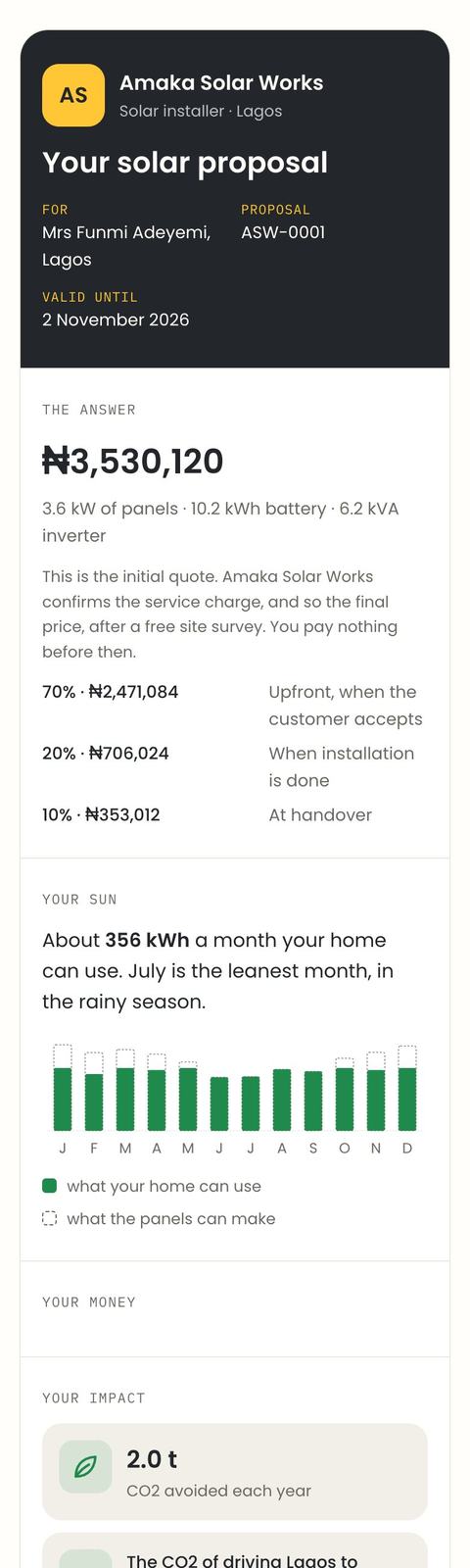
An installer can also quote you directly, for example after you call them. You get a link (often on WhatsApp) to a one-page proposal: the price, what it pays for in sections, any discount and VAT, their notes, the payment stages, and a month-by-month forecast of your solar. No account needed to read it.
Book the free site survey
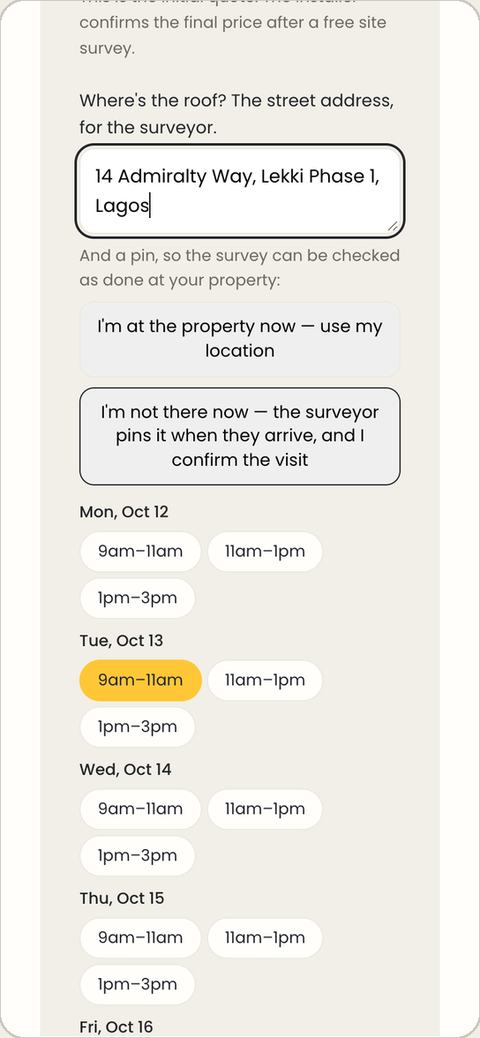
- On the quote you want, tap Book site survey.
- Type the street address of the roof, and say whether you're there now (to pin it) or not.
- Pick a 2-hour slot and tap Confirm slot.
No open times yet? Tap Ask for a survey time, pick up to three days that suit you, and Suny follows up. On the day, the surveyor checks in and photographs the roof; then Home asks Did … come? Answer Yes, they came or No, nobody came.
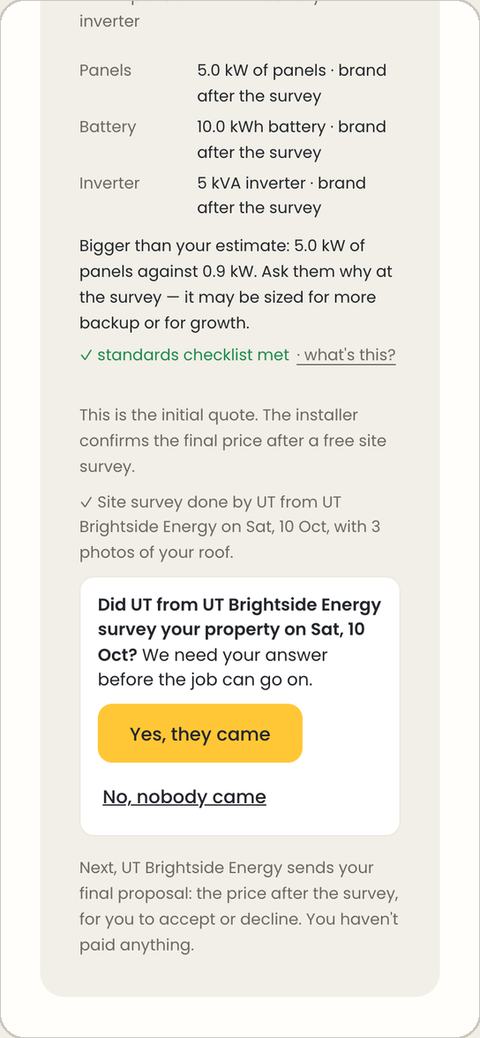
Accept the final proposal
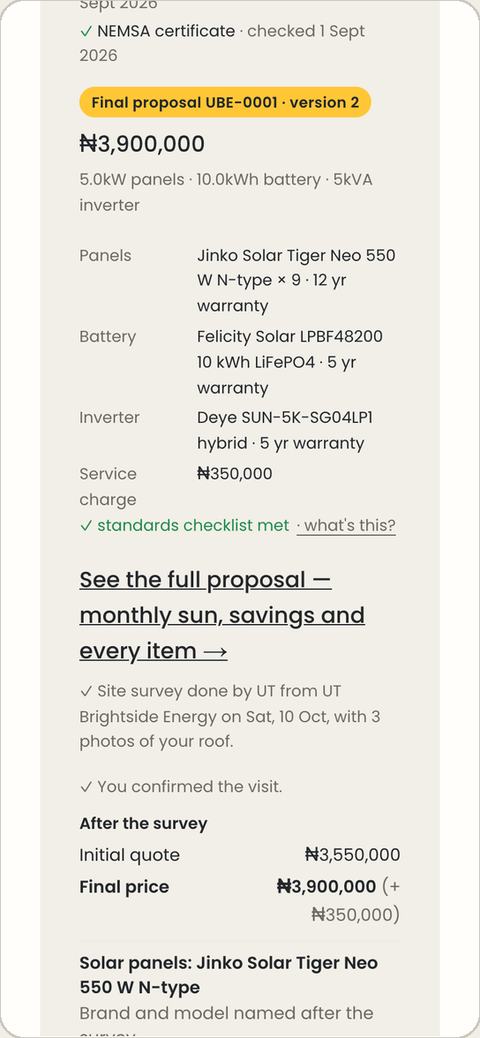
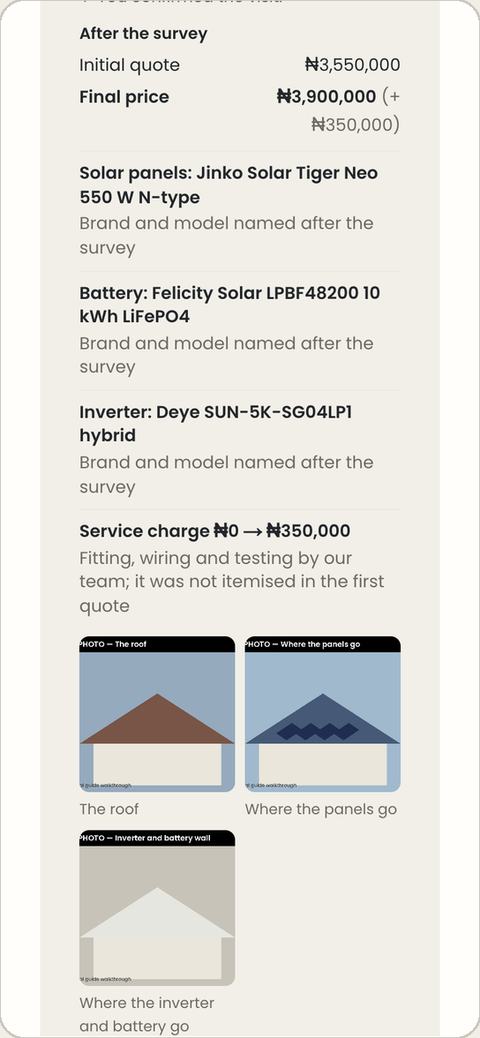
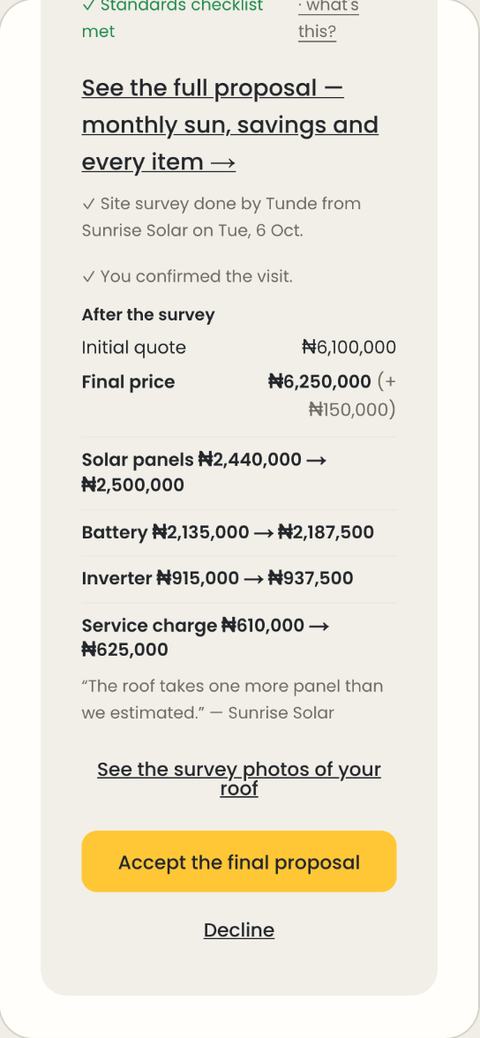
After the survey the installer sends a final proposal: the price after the survey, every part by brand and model with its warranty, what changed since the first quote and why, the survey photos of your roof, and the deposit invoice.
Tap Accept the final proposal, or Decline at no cost (pick the main reason, so the installer can do better next time). Until you accept, you've paid nothing.
Pay your installer, stage by stage
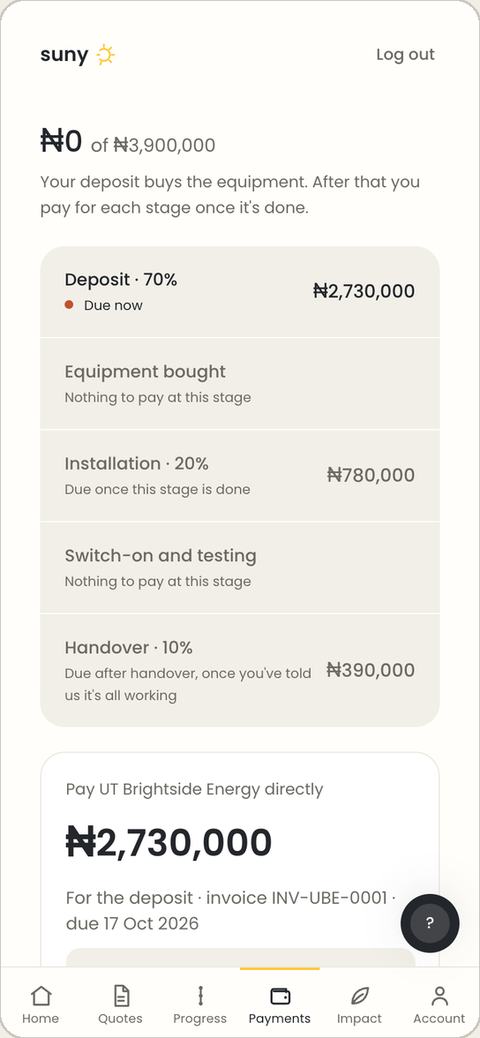
You pay the installer directly by bank transfer. Suny never holds your money and takes nothing from it.
| Stage | Share | When it's due |
|---|---|---|
| Deposit (buys your equipment) | 70% | When you accept the final proposal |
| Installation | 20% | When the installer marks it done |
| Handover | 10% | When you say it's all working, or 14 days after handover |
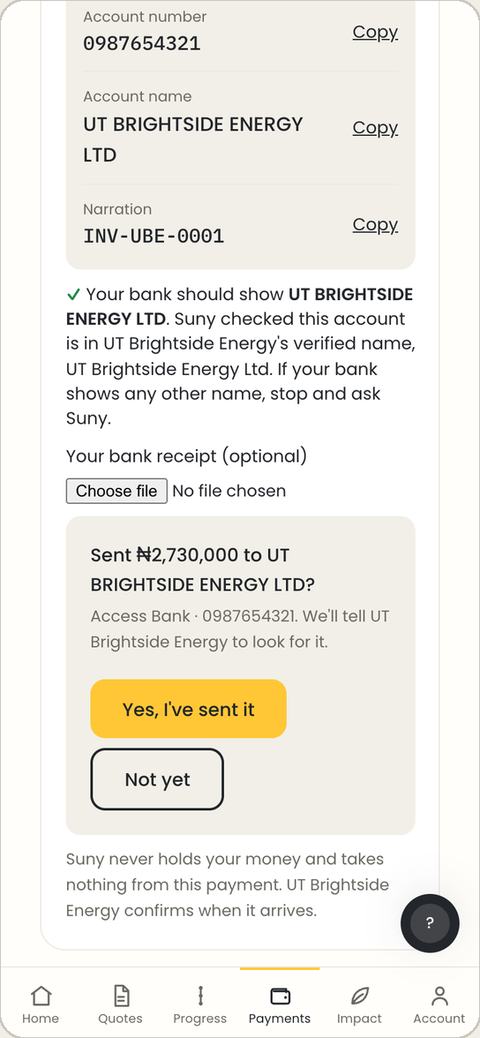
- Open Payments. Copy the amount, the invoice number and the installer's bank details.
- Check the name: your bank app should show the same account name Suny shows. If not, stop and message Suny.
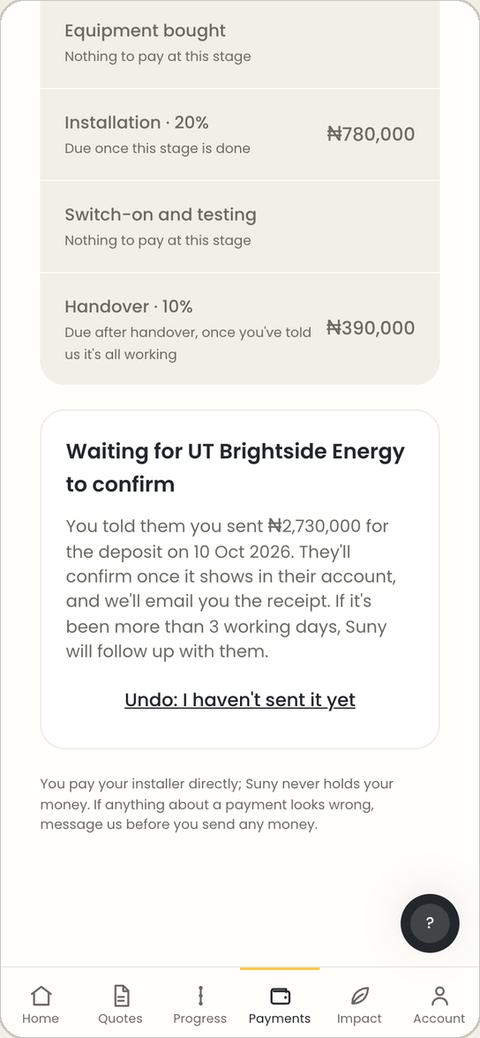
- Send the transfer with the invoice number as the narration, then tap I've sent the transfer.
- The installer confirms it arrived and you get a receipt. Until then you can undo.
Installation and handover
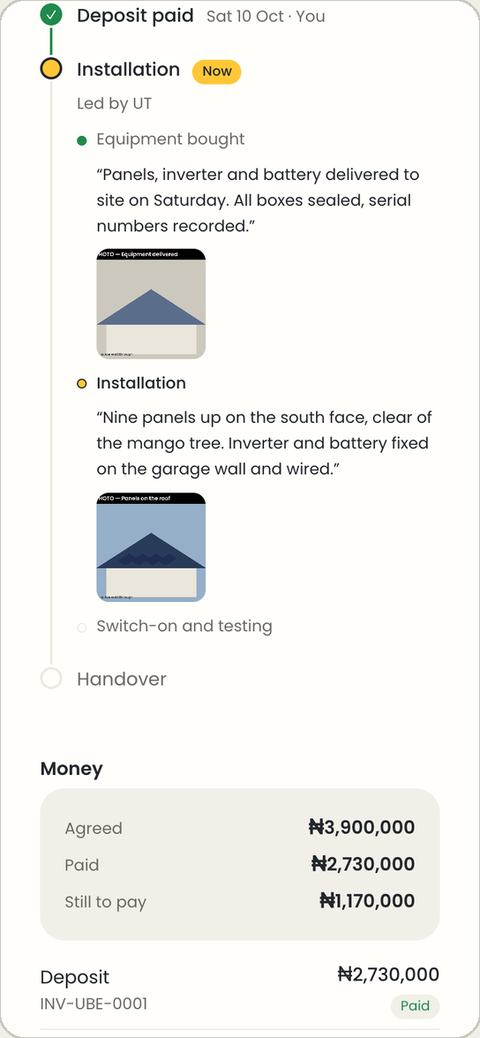
As the installer finishes each stage, your job page shows the date, their note and photos, and Home tells you when a payment falls due.
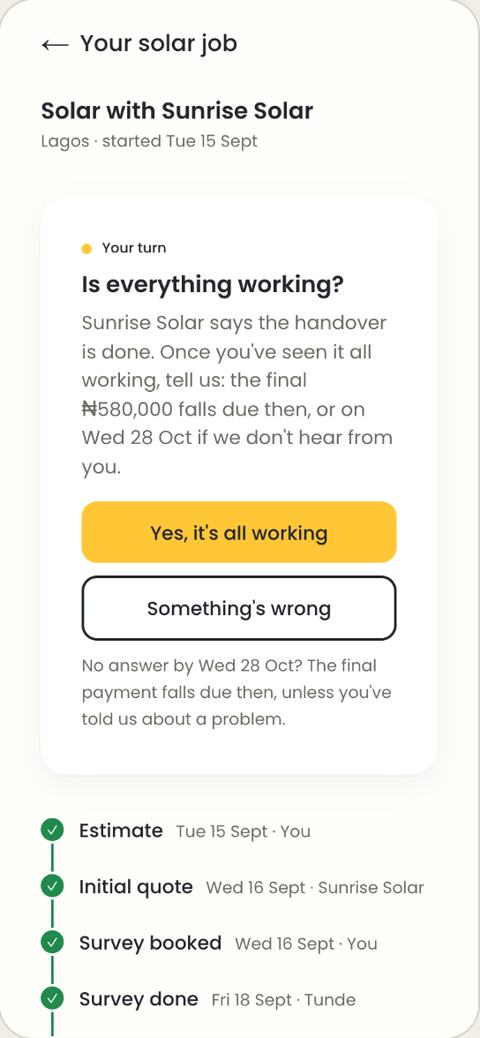
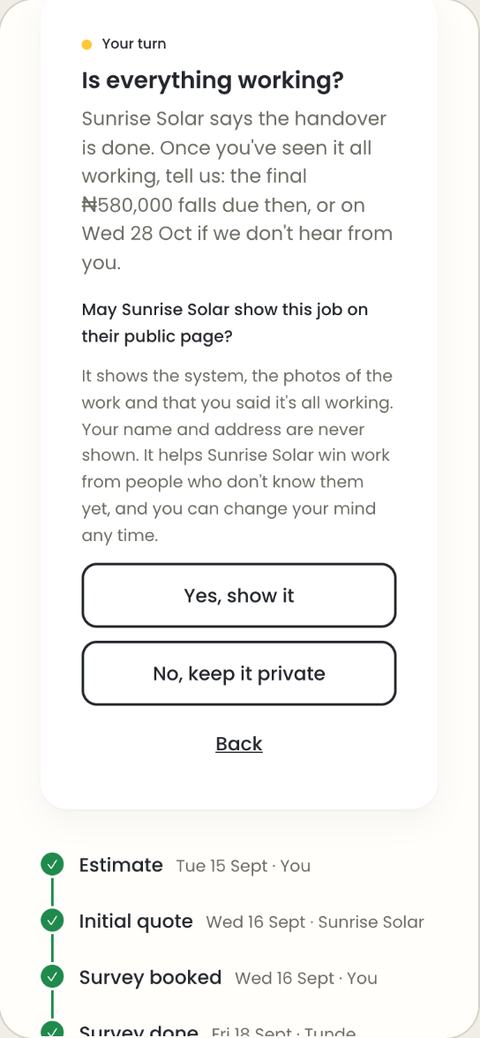
At handover, Home asks Is everything working? Yes, it's all working makes the final 10% due; Something's wrong opens a help request and holds it. Then Suny asks whether your installer may show the job on their public page. Your name and address are never shown, and you can change your mind later.
After installation: your system and impact
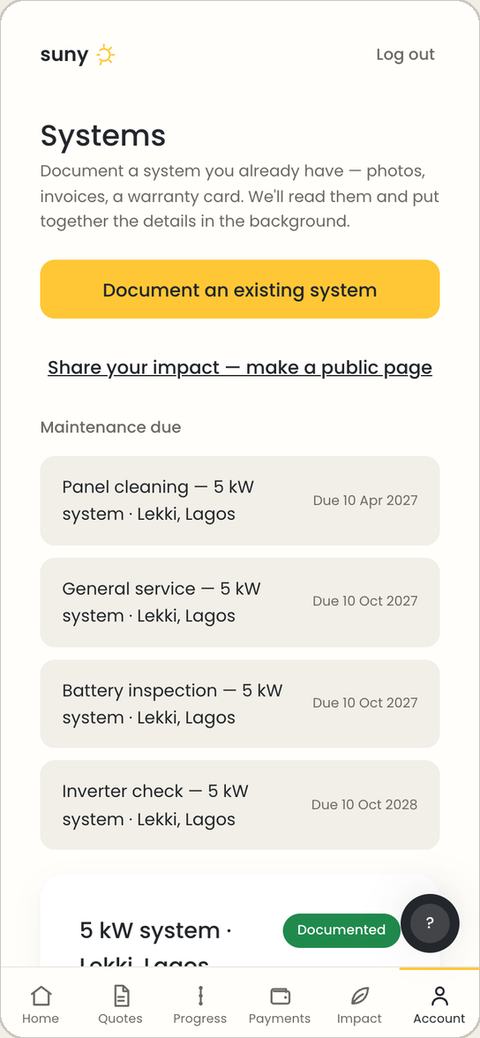
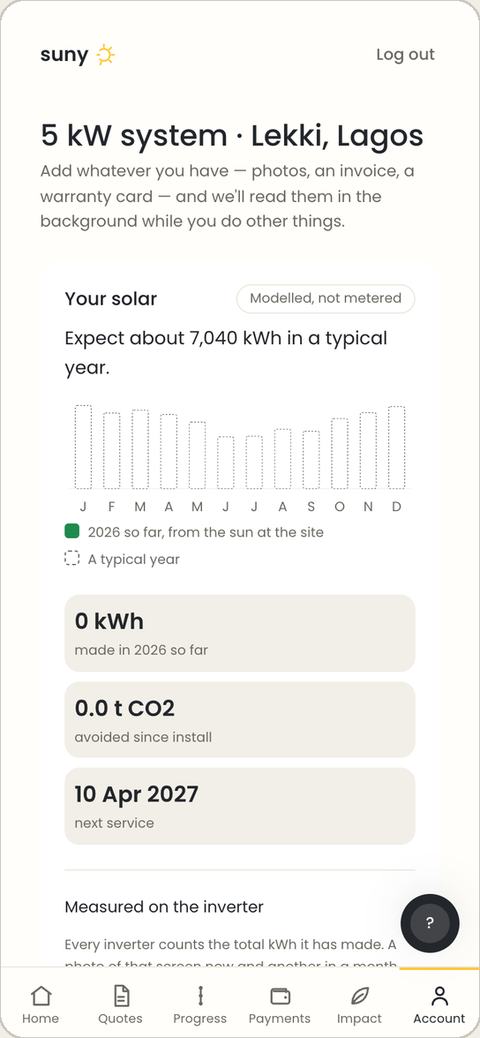
- Systems: what your system makes each month, maintenance due dates with Mark done, files and papers. Confirm the record is accurate to help others trust your installer.
- Already have solar? Tap Document an existing system and add photos, invoices or a warranty card.
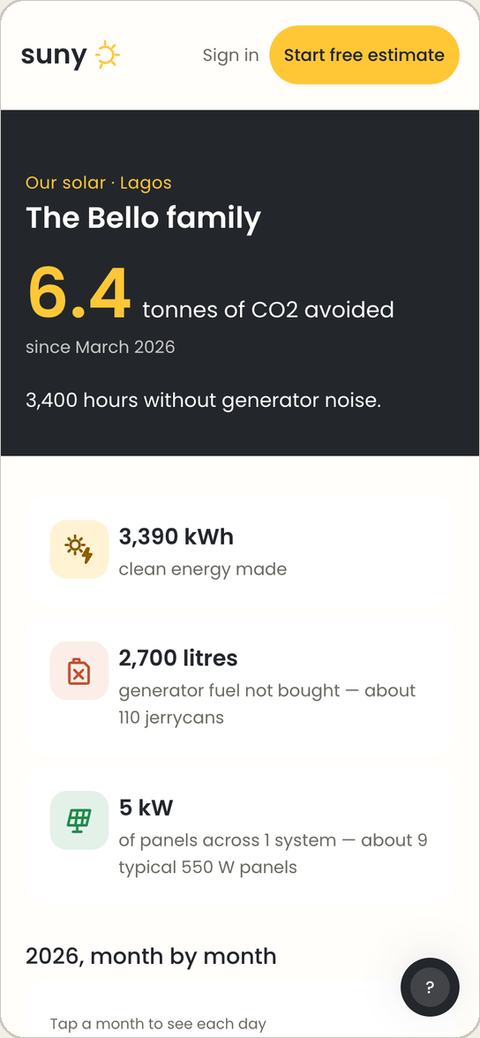
- Impact: publish an optional page showing the energy made, fuel saved and CO₂ avoided, with a yearly statement.
Free tools and getting help
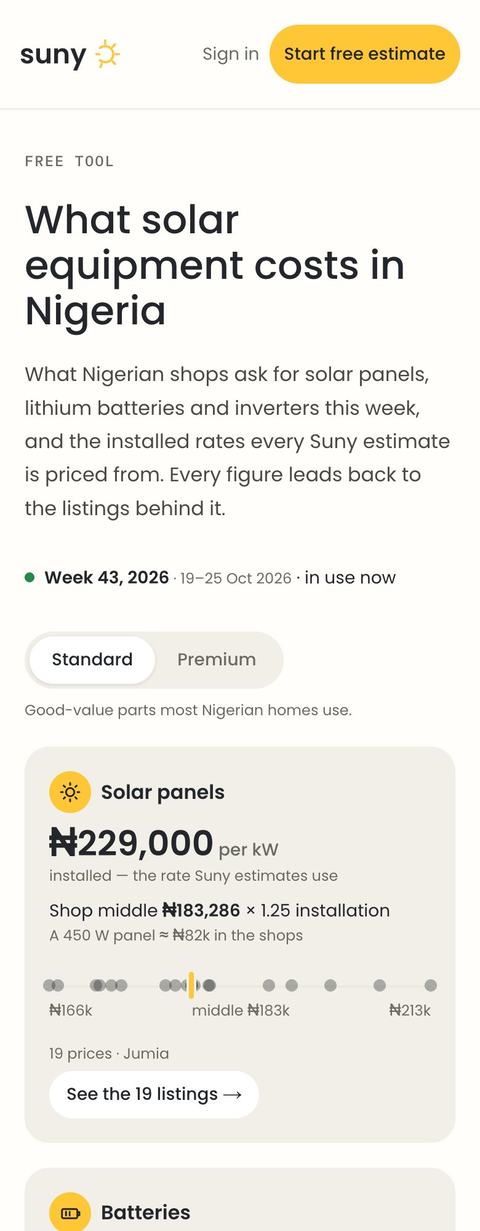
- Solar equipment prices: this week's shop prices for panels, batteries and inverters, with every listing linked. Use it to check a quote.
- Solar calculator: a system size and rough cost for a home like yours.
- Find an installer: every installer Suny has checked, by city.
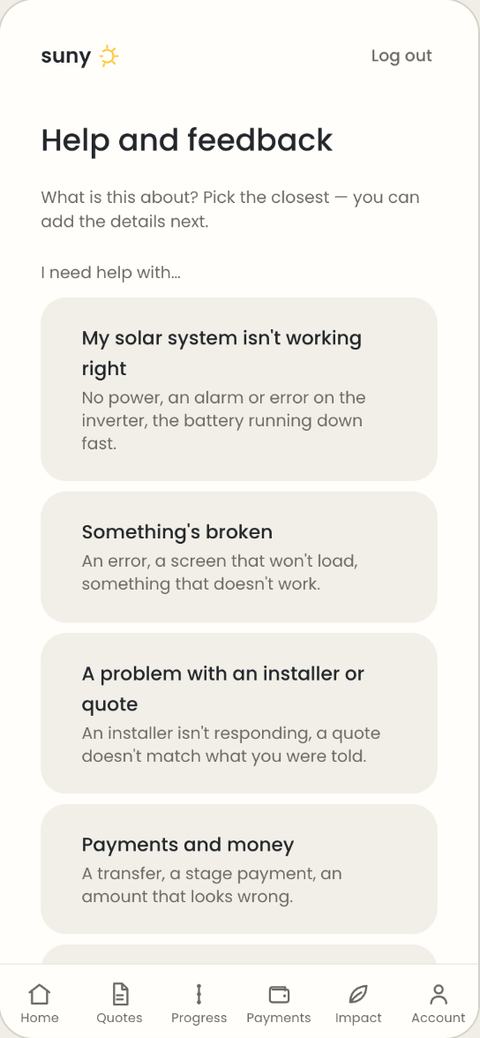
- Help: the round ? on every screen, WhatsApp us and Message us on Home, and Help and feedback for anything else. If your system stops working, choose "My solar system isn't working right"; it's marked urgent.
Before sending money, if anything about a payment looks wrong, message Suny first.